
As an Amazon Associate, LookItAllUp earns from qualifying purchases.
This guide is for anyone setting up a TV for the first time, adding streaming to an older set, or trying refurbished tech without the headache. Our headline pick is the Roku Streaming Stick Plus: it powers from the TV itself, uses one remote for TV and streaming, and gets you to 4K picture in minutes. Need it simpler or cheaper? The Roku Express is the gentlest starting point.
Buyer's guide
Before you buy: what actually matters
Renewed gear can save money, but a few basics decide whether setup is painless or frustrating. Check these first.
1Match resolution to your TV
A 4K stick only shows 4K on a 4K TV. If your TV is HD or small, an HD device like the Roku Express does the job.
2Count cords and outlets
Some sticks, like the Streaming Stick Plus, power from the TV itself. Fewer cables means fewer things to troubleshoot.
3Check what the remote controls
Voice remotes on the 4K sticks handle TV power and volume. The Express remote draws complaints on volume, so you may still need your TV remote.
4Think about Wi-Fi distance
If your TV is far from the router, long-range Wi-Fi like on the Streaming Stick 4K helps avoid buffering.
5Know the Renewed Guarantee
Renewed items are inspected and tested by Amazon-qualified suppliers, and you can get a replacement or refund if unsatisfied. Test everything as soon as it arrives.
Our top picks
It powers from the TV alone, sets up in minutes and uses one voice remote for TV and streaming.
See it on AmazonDesigned for new users, it includes the HDMI cable and charges no monthly equipment fee.
See it on AmazonDolby Vision, HDR10+ and long-range Wi-Fi mean it keeps up if you upgrade your TV or move rooms.
See it on Amazon
Best overall for first-timers#1 best seller
Roku Streaming Stick Plus
Roku Streaming Stick Plus with Voice Remote - 4K & HDR10+ | 4K & HDR Streaming Device for TV with Roku Voice Remote - Free & Live Local News, Sports (Renewed)
The Streaming Stick Plus removes most of the fiddly parts of setting up streaming. It plugs into the back of your TV, draws power from the TV alone, and its slim shape won't block neighboring HDMI ports, so there's no wall outlet or extra cable to sort out. Setup takes minutes, and the home screen is simple to navigate.
One voice remote turns the TV on, adjusts volume and controls the stick, and you can speak to search instead of typing. Buyers describe it as excellent for daily use and great value. The common gripes are a remote that sometimes won't pair properly and batteries that aren't included, so have a couple on hand.
What we like
- Powers from the TV with no extra cords
- One remote handles TV power and volume
- 4K and HDR10+ picture
- Voice search skips on-screen typing
Keep in mind
- Some buyers report remote pairing trouble
- Batteries not included
Best for: Beginners with a 4K TV who want the least clutter and a single remote for everything.

Easiest, lowest-cost starting point#2 best seller
Roku Express HD
Roku Express HD Streaming Media Player, Black (Renewed)
Roku pitches the Express as perfect for new users, secondary TVs and gifting, and buyers agree it's very easy to set up and use. It comes with a High Speed HDMI cable in the box, there's no monthly equipment fee, and hundreds of free channels on The Roku Channel mean you can start watching without any subscriptions.
Keep two things in mind. It streams in HD rather than 4K, which is fine for smaller or older TVs. And its simple remote has shortcut buttons but draws complaints: several buyers say it doesn't control TV volume properly or stops working, so expect to keep your TV remote nearby. The free Roku mobile app can act as a backup remote.
What we like
- Very easy setup with HDMI cable included
- No monthly equipment fee
- Plenty of free live TV and movies
- Ideal for bedrooms and spare TVs
Keep in mind
- HD only, not 4K
- Remote draws complaints about volume control
Best for: Absolute beginners or gift-givers adding streaming to an HD or secondary TV on a tight budget.

Best to grow into#3 best seller
Roku Streaming Stick 4K
Roku Streaming Stick 4K - HDR & D. Vision Roku Streaming Device for TV with Voice Remote & Long-Range Wi-Fi - Free & Live TV (Renewed)
If you'd rather buy once and not outgrow it, the Streaming Stick 4K adds features the other sticks don't list. It supports 4K, Dolby Vision and HDR10+, so it can show off a better TV later, and its long-range Wi-Fi is built for smooth streaming in rooms farther from your router.
It stays beginner-friendly: it hides behind the TV, starts streaming quickly when you switch on, and the voice remote controls TV power and volume. It also works with Siri, Alexa and Google Assistant, handy if you already have a smart speaker. It's well liked by a large number of buyers.
What we like
- Dolby Vision and HDR10+ support
- Long-range Wi-Fi for distant rooms
- Works with Siri, Alexa and Google Assistant
- Voice remote controls TV power and volume
Keep in mind
- Extra picture features only matter on a capable TV
Best for: Newcomers with a TV far from the router, or anyone planning to upgrade to a nicer TV down the line.
Simplest all-in-one small TV#4 best seller
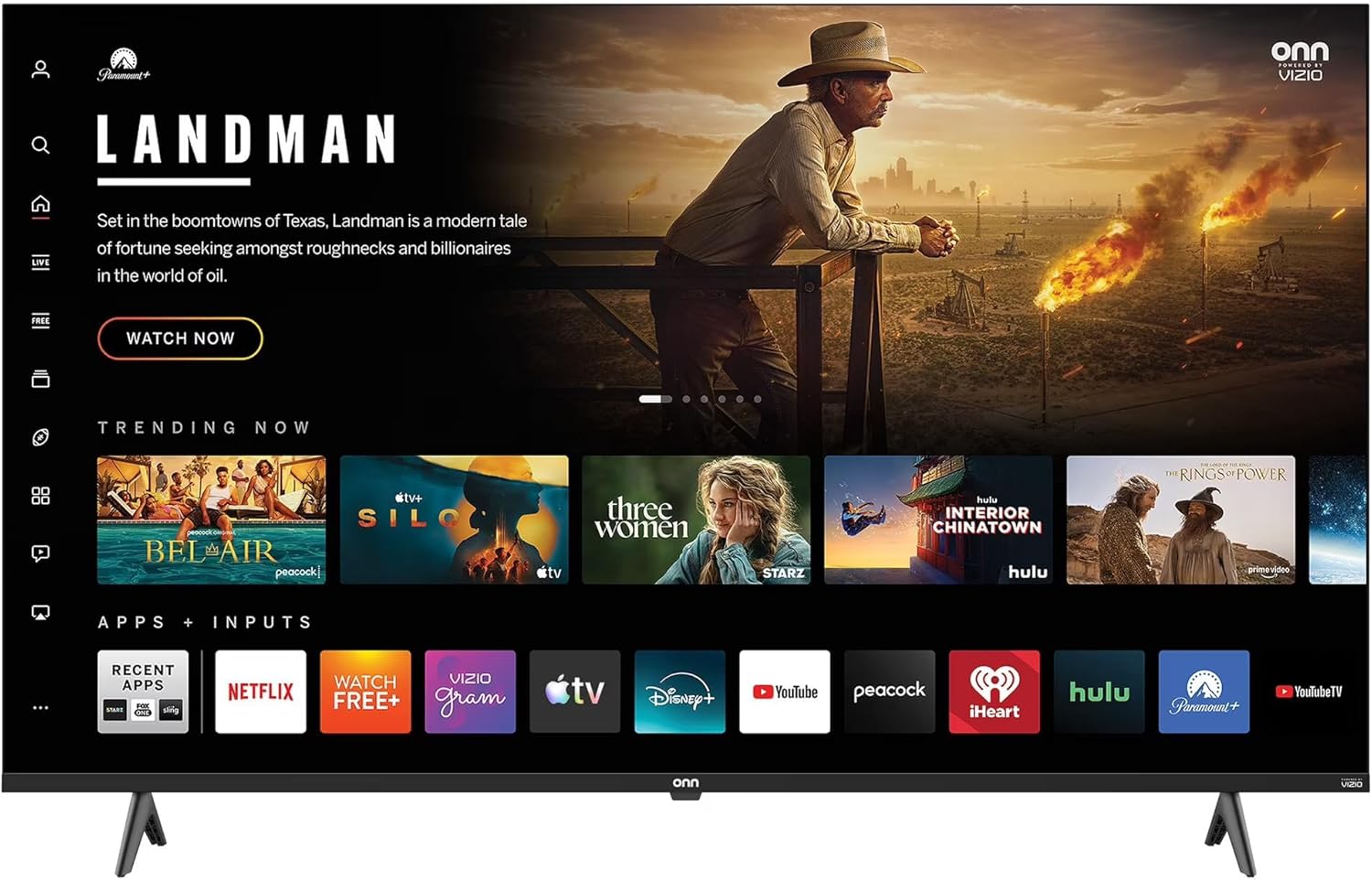
VIZIO Onn 32-inch HD Smart TV
VIZIO Onn 32S2V1 32" Class (720p) HD Powered Smart, Fast Streaming, & Compatible with Apple AirPlay, Google Home, and Alexa (Renewed)
This 32-inch set has the Roku platform built right in, so there's no separate stick or extra remote to learn. Apps like Netflix, Disney+ and YouTube sit on one home screen, and you can cast photos or videos from an iPhone or Android phone. It also works with AirPlay, HomeKit, Alexa and Google Assistant.
Thoughtful extras include a sleep timer, parental controls, a game mode for consoles, and an auto volume leveler that keeps loud commercials in check. The resolution is 720p, which suits a screen this size but isn't 4K. Customer sentiment is mixed, so lean on the Renewed Guarantee if yours arrives with problems.
What we like
- Roku streaming built in, no extra device
- Parental controls and sleep timer
- Auto volume leveler tames loud ads
- Casting from iPhone or Android
Keep in mind
- 720p resolution, not 4K or 1080p
- Mixed customer sentiment
Best for: Someone kitting out a bedroom, dorm or kitchen who wants a ready-to-stream TV with nothing extra to plug in.

Best two-in-one sound upgrade#5 best seller
Roku Streambar SE
Roku Streambar SE | 4K TV Soundbar with Built-in Streaming Device (Renewed)
The Streambar SE combines a 4K HDR streaming device with a soundbar, aimed at smaller TVs in bedrooms and cozy spaces. Its speech clarity feature makes dialogue easier to follow, and it can automatically lower the volume during loud commercials. Presets for music and movies keep things simple, and Bluetooth lets you pair headphones for quiet late-night watching.
Buyers like the value compared with other sound systems, the clearer TV audio, the easy setup and having one remote for several devices. The caveats are real, though: some mention Bluetooth connection problems, and others report it stopped working after a few months or the speakers failed within a year.
What we like
- Streaming and better sound in one box
- Speech clarity makes dialogue easier to hear
- Auto volume lowers loud commercials
- Bluetooth headphone pairing
Keep in mind
- Some reports of failures within a year
- Occasional Bluetooth connection issues
Best for: Beginners with a small TV whose built-in speakers make dialogue hard to hear.

Best for old tapes and discs#6 best seller
Sony VHS/DVD Combo Player
Sony VHS/DVD Combo Player (Renewed)
If you have a box of family VHS tapes or a DVD shelf, this Sony combo plays both in one unit. It's a niche pick in a list dominated by streaming, but it's the only way here to watch physical media you already own.
Go in with eyes open: feedback is mixed. Some buyers say it works great and arrives with the cables they need, while others report it didn't work, showed damage, had a sticking DVD tray, or lacked HDMI. Check your TV's inputs before buying, and know that the Amazon Renewed Guarantee covers replacement or refund if you're not satisfied.
What we like
- Plays VHS and DVD in one unit
- Covered by the Amazon Renewed Guarantee
- Some buyers say it works great
Keep in mind
- Inconsistent condition and reliability
- HDMI may not be available
- Some report DVD tray problems
Best for: Families who want to watch their VHS tapes and DVDs without buying two separate players.
Frequently asked questions
What does Renewed mean, and is it risky?
Renewed products were returned or traded in, then inspected and tested by Amazon-qualified suppliers to work and look like new. If you're not satisfied, they're eligible for replacement or refund under the Amazon Renewed Guarantee.
Do I need a subscription to use a Roku?
No. The Roku devices here include access to free live TV, news, sports and movies on The Roku Channel. Paid apps like Netflix are optional.
What's the difference between HD, 4K and HDR?
HD and 4K describe how sharp the picture is, with 4K being much more detailed on a 4K TV. HDR, HDR10+ and Dolby Vision improve color and contrast; the Roku Streaming Stick 4K supports all of them, while the Express is HD only.
Will the remote control my TV's volume?
The voice remotes on the Streaming Stick Plus and Streaming Stick 4K are described as powering the TV and adjusting volume. Some Express buyers report volume control doesn't work properly, so plan to keep your TV remote handy.
Do I need a soundbar?
Only if your TV's speakers make dialogue hard to hear. The Roku Streambar SE adds speech clarity and streaming in one box, though some buyers report durability issues.
How we chose these
We started from the top 6 products on Amazon's Best Seller list for Renewed Home Entertainment (as of November 8, 2026) and wrote this Best for Beginners guide, with AI assistance, from their product details and what customers say in their reviews. We haven't tested these products ourselves, and no product or position is paid for. Rankings and availability change, so check Amazon for the latest details.
The verdict
For most beginners, the Roku Streaming Stick Plus is the one to get: it plugs in behind the TV with no extra power cord, sets up in minutes, and one voice remote runs the whole show in 4K. Choose the Roku Express if you have an HD TV and want the simplest start, or the Streaming Stick 4K if your TV sits far from the router. Whatever you pick, test it right away so the Renewed Guarantee has your back.
Our top pick: Roku Streaming Stick Plus
Check today's price on Amazon